Resume Creation Guide banner
Introduction
Have you ever wondered why some candidates get shortlisted quickly while others with similar skills never get a call?
For example:
- Why does one resume get noticed by HR in 10 seconds?
- Why do some resumes get rejected by ATS software automatically?
- Why do freshers struggle to fit their skills into one page?
- Why do experienced candidates fail to highlight their real achievements?
The answer is simple:
A Well-Structured Resume
A resume is the first impression you give to a recruiter. Whether you are a fresher, a Java Developer, a Data Analyst, or preparing for your first IT job, your resume decides whether you get shortlisted or ignored.
In this article, we will learn how to create a professional resume from scratch, step by step.
What is a Resume?
A resume is a short, structured document that summarizes:
- Your education
- Your skills
- Your work experience or projects
- Your achievements
- Your contact details
In simple words:
A resume is a marketing document that sells your skills to a recruiter.
Most recruiters spend only 6 to 10 seconds scanning a resume before deciding whether to read further or reject it.
That is why the structure and clarity of your resume matter more than fancy designs.
Resume vs CV
Many beginners confuse Resume and CV.
Resume
A resume is short (usually 1 page), focused on relevant skills and experience for a specific job.
CV (Curriculum Vitae)
A CV is longer and includes complete academic and professional history, commonly used for research, academic, or government positions.
Simple understanding:
Resume → Short, job-focused, 1 page
CV → Long, detailed, academic-focused
For most IT and corporate jobs, a resume is what you need.
Key Sections of a Resume
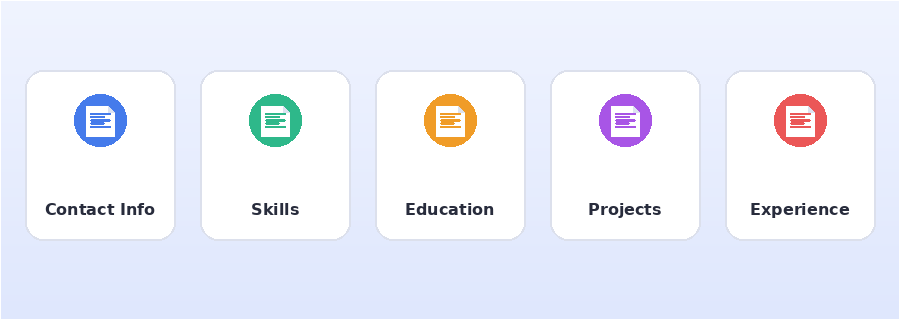
Key sections of a resume
A strong resume generally has these sections:
1. Contact Information
2. Career Objective / Summary
3. Skills
4. Education
5. Projects
6. Work Experience (if any)
7. Certifications
8. Achievements
Let’s understand each section in detail.
Contact Information
This should be at the very top of your resume.
Include:
Full Name
Phone Number
Email Address (professional)
LinkedIn Profile
GitHub Profile (for developers)
City, State
Example:
Chandrakant Kardile
+91-XXXXXXXXXX
chandrakant@gmail.com
linkedin.com/in/chandrakant
github.com/chandrakant
Pune, Maharashtra
Avoid unprofessional email addresses like coolboy123@gmail.com.
Career Objective / Summary
For freshers, write a Career Objective. For experienced candidates, write a Professional Summary.
Example (Fresher):
A motivated Computer Science graduate with strong knowledge of Java,
Spring Boot, and REST APIs, seeking an entry-level Software Developer
role to apply technical skills and contribute to real-world projects.
Example (Experienced):
Backend Developer with 2 years of experience in Java, Spring Boot,
and Microservices, skilled in building scalable REST APIs and
optimizing database performance.
Keep it to 2–3 lines. Avoid generic lines like “I am hardworking and dedicated.”
Skills Section
List only relevant, job-related skills.
Example for a Java Developer:
Programming: Java, SQL
Frameworks: Spring Boot, Hibernate
Web: REST API, HTML, CSS, JavaScript
Database: MySQL, PostgreSQL
Tools: Git, GitHub, Postman, Maven
Concepts: OOP, Data Structures, Exception Handling
Avoid listing skills you cannot explain in an interview.
Education Section
Mention your latest qualification first.
Example:
B.E. in Computer Engineering
XYZ College of Engineering, Pune
2022 – 2025 | CGPA: 8.2
HSC (12th)
ABC Junior College
2021 – 2022 | 78%
Freshers should also include their 10th and 12th percentage if space allows.
Projects Section
For freshers, projects matter more than work experience.
Example:
Employee Management System
Java, Spring Boot, MySQL, REST API
– Built REST APIs for CRUD operations on employee data
– Implemented Spring Security for authentication
– Designed database schema using MySQL
Always mention:
Project Name
Technologies Used
2-3 bullet points on what YOU built
Work Experience Section
Use the following format:
Job Title
Company Name | Duration
– Responsibility or achievement 1
– Responsibility or achievement 2
– Responsibility or achievement 3
Example:
Software Developer Intern
ABC Technologies | Jan 2025 – Jun 2025
– Developed REST APIs using Spring Boot for a product management module
– Reduced API response time by 30% through query optimization
– Collaborated with a team of 5 developers using Git and Agile methodology
Use action verbs like Developed, Built, Improved, Designed, Optimized, Implemented.
Certifications Section
Example:
– Java Programming Certification – Udemy
– AWS Cloud Practitioner – Amazon
– SQL for Data Science – Coursera
Only include certifications relevant to the job you are applying for.
Achievements Section
Example:
– Solved 300+ problems on LeetCode and HackerRank
– Winner of college-level Hackathon 2024
– Published a technical article on Medium about REST APIs
Resume Formatting Best Practices
Keep It to One Page
Recruiters prefer short, focused resumes, especially for freshers and candidates with less than 5 years of experience.
Use a Clean, Professional Font
Good fonts:
Calibri
Arial
Times New Roman
Font size: 10–12 pt for content, 14–16 pt for headings.
Use Bullet Points
Avoid long paragraphs. Use short, clear bullet points instead.
Maintain Consistent Formatting
Use the same font, spacing, and heading style throughout the document.
Save as PDF
Always send your resume as a PDF, not a Word file, so formatting does not break on different devices.
Resume_YourName.pdf
What is ATS (Applicant Tracking System)?
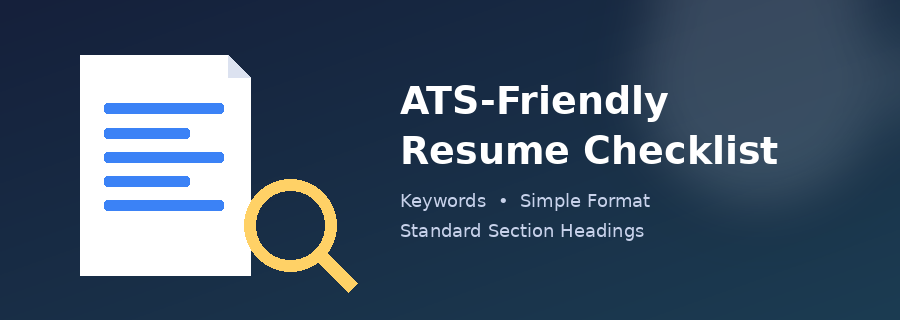
ATS-friendly resume checklist
Most companies use ATS software to automatically scan resumes before a human even sees them.
ATS checks for:
Relevant Keywords
Proper Formatting
Standard Section Headings
Readable Fonts
How to Make Your Resume ATS-Friendly
- Use standard section titles like “Skills”, “Education”, “Experience”
- Avoid tables, columns, and graphics for critical information
- Use keywords from the job description
- Avoid headers/footers for important content
- Save the file in PDF format with selectable text (not scanned images)
Common Resume Mistakes to Avoid
1. Using an Unprofessional Email
Avoid:
sweetheart_rahul@gmail.com
Use:
rahul.sharma@gmail.com
2. Spelling and Grammar Mistakes
Always proofread your resume at least twice, or use tools like Grammarly.
3. Adding a Photo (for most countries)
Avoid adding a photo unless it is specifically required, as many ATS systems reject resumes with images.
4. Making It Too Long
Avoid writing a 3-page resume for a fresher-level role. Keep it to one page.
5. Using Generic Statements
Avoid:
I am a hardworking and dedicated individual.
Instead, show it with numbers and achievements:
Improved API response time by 30% through query optimization.
6. Listing Irrelevant Skills
Do not list skills unrelated to the job, such as “MS Paint” for a Backend Developer role.
Resume Checklist Before Submitting
Before you submit your resume, check the following:
✔ No spelling or grammar mistakes
✔ Consistent formatting throughout
✔ Contact information is correct
✔ Resume is saved as PDF
✔ File name includes your full name
✔ Only relevant skills and projects are listed
✔ Achievements are backed with numbers
✔ Resume fits in 1 page (for freshers)
Conclusion
A resume is one of the most important documents in your career journey.
In this article, we learned:
- What is a Resume and how it is different from a CV
- Key sections of a resume
- How to write Career Objective, Skills, Projects, and Experience
- Resume formatting best practices
- What is ATS and how to make your resume ATS-friendly
- Common resume mistakes to avoid
- A final checklist before submitting your resume
A great resume does not need fancy designs — it needs clarity, relevance, and proof of your skills.
Start building your resume today, keep it updated with every new project or skill you learn, and always customize it slightly for every job application.
Happy Job Hunting! 🚀