Project Ideas Guide banner
Introduction
Have you ever wondered why two candidates with the same degree get completely different results in interviews?
For example:
- Why does one fresher get shortlisted while another with the same marks gets rejected?
- Why do interviewers spend more time discussing projects than academic subjects?
- Why do recruiters trust GitHub profiles more than certificates?
- Why do some freshers get placed with zero work experience?
The answer is simple:
Strong, Real-World Projects
Projects are proof that you can actually apply what you have learned. A resume full of theory means nothing without projects to back it up.
In this article, we will learn why projects matter, the best project ideas for different tech stacks, and how to present them so recruiters are genuinely impressed.
Why Are Projects So Important?
Projects prove three things to a recruiter:
1. You can write real code, not just theory
2. You can solve real problems
3. You can complete something end-to-end
A project is the closest thing to real work experience a fresher can show.
Most interviewers spend 60–70% of a technical interview discussing your projects, because it is the fastest way to judge your actual skill level.
Academic Projects vs Real-World Projects
Many students confuse a college mini-project with an industry-ready project.
Academic Project
Usually built to satisfy a syllabus requirement, often copied or minimally functional.
Real-World Project
Solves an actual problem, has proper structure, error handling, and can be demonstrated live.
Simple understanding:
Academic Project → Built to submit and forget
Real-World Project → Built to showcase and explain confidently
Recruiters can tell the difference within the first two questions.
Types of Projects You Should Build
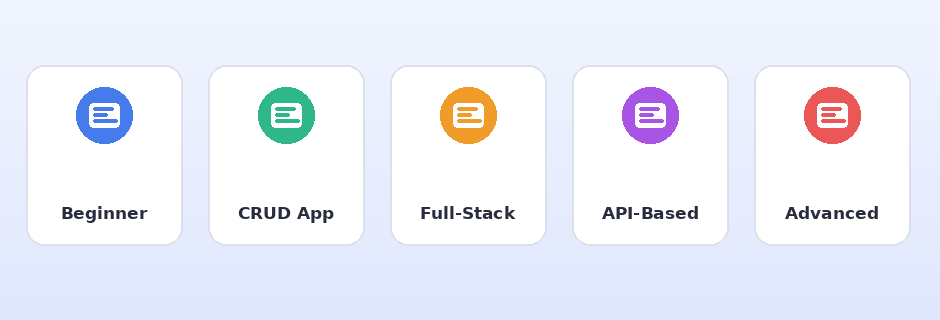
Types of projects you should build
A strong portfolio usually has a mix of these:
1. Beginner Project (fundamentals)
2. CRUD Application (core skill demonstration)
3. Full-Stack Project (frontend + backend + database)
4. API-Based Project (integration skills)
5. One Advanced/Unique Project (stands out from the crowd)
Let’s go through project ideas for each category.
Beginner-Friendly Project Ideas
Good for building confidence and understanding core logic.
– Calculator Application
– To-Do List Application
– Simple Library Management System
– Number Guessing Game
– Unit Converter (Currency, Length, Temperature)
Keep these small, but make sure the code is clean and well-commented.
CRUD Application Project Ideas
CRUD projects show that you understand Create, Read, Update, and Delete operations — the foundation of almost every real application.
– Employee Management System
– Student Management System
– Product Inventory System
– Hospital Appointment Booking System
– Library Book Issue/Return System
Example tech stack:
Frontend: React / HTML, CSS, JavaScript
Backend: Java, Spring Boot
Database: MySQL / PostgreSQL
Full-Stack Project Ideas
These prove you can build a complete application from UI to database.
– E-Commerce Website (Product listing, Cart, Checkout)
– Online Food Ordering System
– Blog Platform with Authentication
– Job Portal Application
– Expense Tracker with Charts and Reports
Include features like:
User Authentication (JWT/OAuth)
Role-Based Access (Admin/User)
Search and Filter
Pagination
API-Based / Integration Project Ideas
These show you can work with real-world data and third-party services.
– Weather Application using a Weather API
– Movie Search App using a Movie Database API
– Currency Converter using a live exchange rate API
– News Aggregator using a News API
– Chat Application using WebSockets
This is a great way to demonstrate REST API consumption, JSON handling, and error handling for failed requests.
Advanced / Unique Project Ideas
One standout project can make your resume memorable.
– Microservices-based E-Commerce Backend
– Real-Time Chat Application with Spring Boot + WebSocket
– AI-Powered Resume Screening Tool
– URL Shortener Service (like Bitly)
– Attendance System using Face Recognition
Pick one advanced project you genuinely understand deeply — recruiters will dig into it during interviews.
Ideal Project Structure
A well-organized project should follow this structure:
project-name/
│
├── src/
│ ├── controller/
│ ├── service/
│ ├── repository/
│ ├── model/
│ └── config/
│
├── README.md
├── pom.xml / package.json
└── .gitignore
Following a clean architecture (Controller → Service → Repository) shows you understand professional coding practices, not just quick scripts.
How to Write a Great README File
Your GitHub README is often the first thing a recruiter opens.
A good README should include:
1. Project Title and Short Description
2. Tech Stack Used
3. Features List
4. Screenshots or Demo GIF
5. How to Run the Project Locally
6. API Endpoints (if applicable)
7. Future Improvements
Example:
# Employee Management System
A REST API-based system to manage employee records with
role-based authentication.
## Tech Stack
Java, Spring Boot, MySQL, Spring Security, JWT
## Features
– Add, update, delete, and search employees
– Role-based login for Admin and HR
– Pagination and sorting on employee list
## Run Locally
1. Clone the repository
2. Configure application.properties
3. Run: mvn spring-boot:run
How to Showcase Projects on Your Resume
Use this format for every project:
Project Name | Tech Stack Used | GitHub/Live Link
– What the project does (1 line)
– What YOU specifically built or solved
– A measurable result or key technical highlight
Example:
Employee Management System | Java, Spring Boot, MySQL, JWT
– Built a REST API-based system to manage 500+ employee records
– Implemented JWT authentication and role-based access control
– Reduced average API response time by 25% using indexed queries
Always include a GitHub link and, if possible, a live demo link.
Deploying Your Project (So Recruiters Can Actually See It)
Deploy and showcase your project
A project sitting only on your laptop has limited value. Deploy it so it’s accessible with one click.
Free/beginner-friendly hosting options:
Frontend: Netlify, Vercel, GitHub Pages
Backend: Render, Railway, Heroku (limited free tier)
Database: ElephantSQL, Supabase, MongoDB Atlas
A live link in your resume immediately sets you apart from candidates who only share code.
Common Mistakes Freshers Make with Projects
1. Copy-Pasting Tutorial Projects Without Understanding
Avoid building a project you cannot explain line by line in an interview.
2. No README or Documentation
A project without a README looks incomplete and unprofessional, even if the code is good.
3. Hardcoding Values Instead of Using a Database
Avoid:
List<String> employees = Arrays.asList(“Rahul”, “Priya”);
Use a real database connection instead.
4. Ignoring Error Handling
Always handle scenarios like invalid input, missing data, or failed API calls — this is a major thing interviewers test.
5. Building Too Many Small Projects Instead of Fewer Solid Ones
Recruiters prefer 2–3 polished, well-documented projects over 10 incomplete ones.
6. Not Hosting the Project Anywhere
If your project only exists on your local machine, most recruiters will never actually see it in action.
Project Checklist Before Adding to Resume
Before listing a project on your resume, confirm:
✔ Code is pushed to a public GitHub repository
✔ README file is complete and clear
✔ Project actually runs without errors
✔ Proper folder structure and clean code
✔ Meaningful commit messages (not “update”, “fix”, “final2”)
✔ Live demo link is available (if possible)
✔ You can explain every part of the code confidently
Conclusion
Projects are the single most powerful way for a fresher to prove real skills without work experience.
In this article, we learned:
- Why projects matter more than just certificates
- The difference between academic and real-world projects
- Beginner, CRUD, Full-Stack, API-based, and Advanced project ideas
- How to structure a project properly
- How to write a strong README file
- How to showcase projects effectively on your resume
- How to deploy projects so recruiters can see them live
- Common mistakes to avoid
- A final checklist before adding a project to your resume
Do not aim to build the most projects — aim to build a few projects you can explain with complete confidence.
Start with one CRUD application, add one full-stack project, and finish with one project that genuinely excites you. That combination alone can make your resume stand out.
Happy Building! 🚀