A Simple and Practical Guide to How DNS Works
Introduction
Whenever we open a website such as google.com, amazon.com, or our own website, we normally type a domain name into the browser and press Enter. Within a few moments, the website appears. Behind this simple action, several networking steps happen in the background.
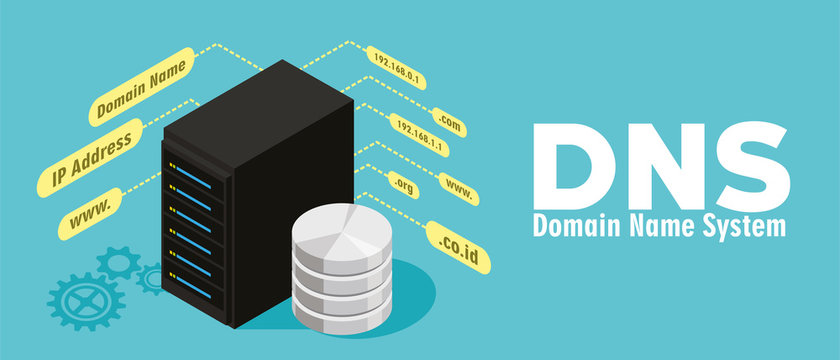
One of the most important systems involved in this process is DNS, which stands for Domain Name System. DNS helps convert human-readable domain names into information that computers and networks can use to find the required service.
What is DNS?
DNS stands for Domain Name System. It is a distributed naming system used to translate domain names into DNS records, such as IP addresses and mail-server information.
www.example.com → 93.184.216.34
Humans find names such as www.example.com easier to remember, while computers communicate across networks using IP addresses. DNS provides the connection between the name and the required network information.
DNS = Internet’s address book
Why Do We Need DNS?
Without DNS, users would have to remember IP addresses instead of simple domain names. This would be difficult because websites can change servers, hosting providers, load balancers, or other infrastructure. DNS allows the domain name to remain stable while the underlying destination can change.
Domain Name and IP Address
A domain name is a human-readable name used to identify a website or service. Examples include example.com and api.example.com.
An IP address is a network address used to reach a destination. IPv4 addresses look like 192.168.1.10, while IPv6 addresses use a longer hexadecimal format such as 2001:db8::1.
Domain Name → IP Address
What Happens When We Enter a Website URL?
Suppose we enter www.example.com into a browser. The browser needs to know where that hostname should connect. The simplified DNS process is shown below.
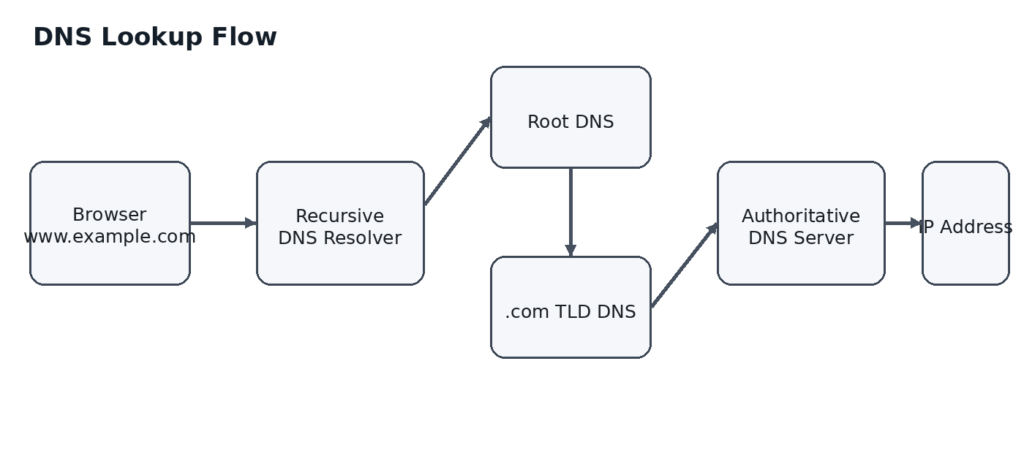
The actual process can be shorter because DNS information may already be cached at the browser, operating system, or recursive resolver.
Step-by-Step DNS Resolution
User Enters the Domain
The user enters a domain such as www.example.com in the browser. The system needs to find the DNS information associated with that hostname.
Browser and Operating System Check Cached Information
Before making a complete DNS lookup, cached information may be checked. If a valid cached result is available, the system may use it directly.
Query Goes to a Recursive DNS Resolver
If the answer is not available locally, the device sends the DNS query to a recursive DNS resolver. The resolver may be operated by an Internet Service Provider, a public DNS provider, or an organization’s network.
Resolver Checks Its Cache
The recursive resolver first checks whether it already has a valid answer in its cache. If it does, it can return the answer without performing the complete lookup again.
Resolver Contacts the Root DNS System
If the resolver does not have the answer, it starts following the DNS hierarchy. The root DNS system helps direct the resolver toward the correct Top-Level Domain, such as .com or .org.
Resolver Contacts the TLD Server
For www.example.com, the relevant Top-Level Domain is .com. The TLD infrastructure helps the resolver find the authoritative nameservers responsible for example.com.
Resolver Contacts the Authoritative DNS Server
The authoritative DNS server contains the DNS records for the domain or DNS zone it serves. The resolver asks for the required record, such as the A record for www.example.com.
Resolver Returns the Answer
The resolver receives the DNS answer, may cache it according to its TTL, and returns it to the user’s device.
Browser Connects to the Destination
Once the browser knows the destination address, it can establish the required network connection and request the website. DNS helps find the destination; DNS itself does not normally deliver the website’s HTML, CSS, JavaScript, images, or database data.
Types of DNS Servers
Recursive DNS Resolver
A recursive resolver receives DNS queries from clients and finds the answer on their behalf. It can communicate with root, TLD, and authoritative DNS infrastructure and can cache the results.
Authoritative DNS Server
An authoritative DNS server is responsible for providing the DNS records for a particular DNS zone. It is the source of authoritative information for that zone.
DNS Hierarchy
Root
↓
.com / .org / .net / .in
↓
example.com
↓
www.example.com
api.example.com
What are DNS Records?
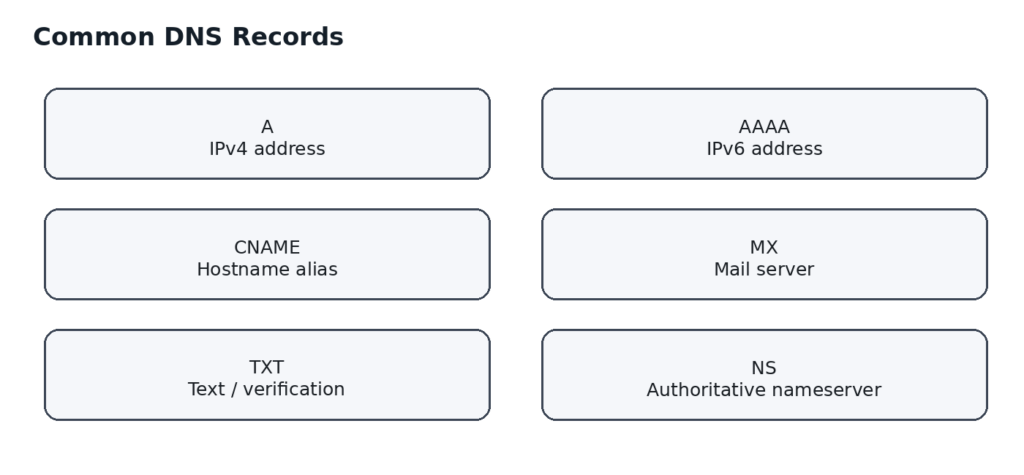
DNS stores different types of information in records. Each record type has a specific purpose.
A Record
An A record maps a hostname to an IPv4 address.
example.com → 203.0.113.10
- A Record = Hostname → IPv4
AAAA Record
An AAAA record maps a hostname to an IPv6 address.
example.com → 2001:db8::10
A → IPv4 | AAAA → IPv6
CNAME Record
CNAME stands for Canonical Name. It allows one hostname to act as an alias for another hostname.
www.example.com → example.com
MX Record
MX stands for Mail Exchange. MX records specify the mail servers responsible for receiving email for a domain.
example.com → MX → mail.example.com
TXT Record
TXT records store text-based DNS information. They are commonly used for domain verification and email-related configuration such as SPF and DKIM information.
NS Record
NS stands for Name Server. NS records identify the authoritative nameservers responsible for a DNS zone.
example.com
↓
NS → ns1.provider.com
NS → ns2.provider.com
What are Nameservers?
Nameservers are DNS servers responsible for answering DNS queries for a domain or DNS zone. When a domain is configured with a DNS provider, the domain is commonly delegated to that provider’s nameservers.
ns1.provider.com
ns2.provider.com
This tells the DNS hierarchy which servers are responsible for the domain’s DNS information.
Domain, DNS and Hosting are Different
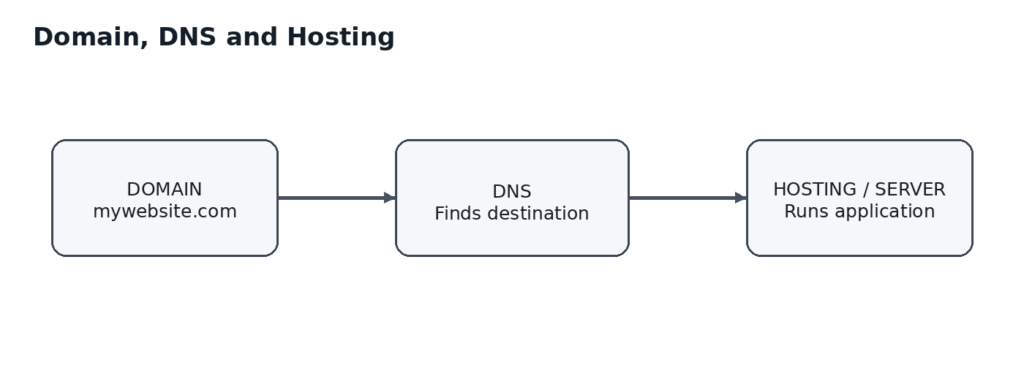
The domain is the name users type. DNS helps locate the required service. Hosting is the infrastructure where the website or application actually runs.
DNS Caching
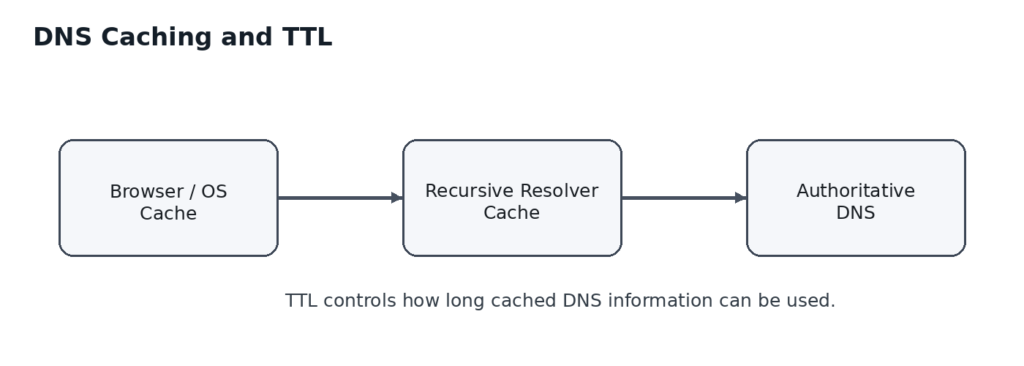
DNS caching means storing DNS answers temporarily so that the same information does not need to be looked up repeatedly.
Caching can happen at different levels, including the browser, operating system, local network, and recursive DNS resolver.
DNS records have a TTL, or Time To Live, which controls how long a cached record can generally be used.
DNS Propagation
DNS propagation is the common term used when DNS changes take time to appear consistently across different DNS resolvers.
There is not one single DNS server that updates everywhere at exactly the same time. Different resolvers may have cached previous answers. After the relevant TTLs expire, they can request the newer DNS information.
Because of caching and delegation, a DNS change may not be visible everywhere immediately.
DNS and Website Performance
Browser
↓
DNS lookup
↓
Network connection
↓
TLS / HTTPS
↓
HTTP request
↓
Server response
A slow resolver, network issue, failed lookup, or cache miss can add delay before the browser reaches the destination.
Common DNS Problems
Wrong A or AAAA Record
If a DNS record points to the wrong IP address, users may be sent to the wrong server or the website may become unreachable.
Incorrect Nameservers
If a domain is delegated to the wrong nameservers, the DNS records configured at the expected provider may not be used.
Missing DNS Record
A hostname such as api.example.com may not work if the required DNS record has not been created.
Incorrect CNAME
A CNAME pointing to the wrong hostname can prevent a service from being reached correctly.
Incorrect MX Records
A website can work normally while email delivery fails if the domain’s MX records are missing or incorrectly configured.
Cached Old Information
After a DNS change, some resolvers may continue using an older cached answer until its TTL expires.
DNS Security and DNSSEC
DNSSEC stands for Domain Name System Security Extensions. It adds cryptographic authentication to DNS data so that validating resolvers can verify that DNS information has not been improperly modified.
DNSSEC does not replace DNS. It adds a security mechanism to the DNS system.
DNS
↓
DNSSEC validation
↓
Verify DNS data
DNS in a Real-World Application
Consider a website with a frontend and a Spring Boot backend. The frontend may be available at example.com while the backend API is available at api.example.com.
example.com
↓
Frontend Hosting
api.example.com
↓
Backend Server
The React frontend can communicate with the backend using a hostname such as https://api.example.com. DNS makes the hostname resolvable without requiring users or applications to hard-code the server’s IP address.
DNS Troubleshooting Approach
1. Check the domain name
2. Check nameservers
3. Check the required DNS record
4. Check the record value
5. Check TTL and caching
6. Check whether the destination server is reachable
7. Check application and web-server configuration
This helps separate DNS problems from hosting, network, TLS, or application problems.
Complete DNS Flow
User
↓
Browser
↓
Local DNS Cache
↓
Recursive DNS Resolver
↓
Root DNS
↓
TLD DNS (.com, .org, .in, etc.)
↓
Authoritative DNS Server
↓
DNS Record / IP Address
↓
Web Server / Application
↓
Website Response
Conclusion
DNS is one of the fundamental systems that makes the Internet easy to use. It allows people to work with memorable domain names while computers and networks use the underlying DNS information needed to locate services.
The key concepts to remember are domain names, IP addresses, recursive resolvers, authoritative DNS servers, DNS hierarchy, DNS records, nameservers, caching, TTL, DNS propagation, and DNSSEC.
The simplest mental model is:
Domain Name → DNS → Destination → Server → Application
Once this flow is clear, concepts such as A records, AAAA records, CNAME records, MX records, TXT records, nameservers, TTL, and DNS propagation become much easier to understand.
DNS usually works quietly in the background, but it is a critical part of websites, APIs, email systems, cloud infrastructure, CDNs, and many other Internet services.